


Designest: AI Home Design
3.740.00 Reviews
App Specs
- Version
- 1.2.0
- Updated On
- License
- Free
- Downloads
- 100,000+
- Developer
- Astronex
- Categories
- House & Home
- Platform
- Android
Screenshots
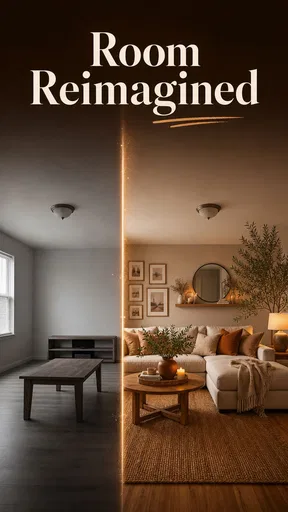
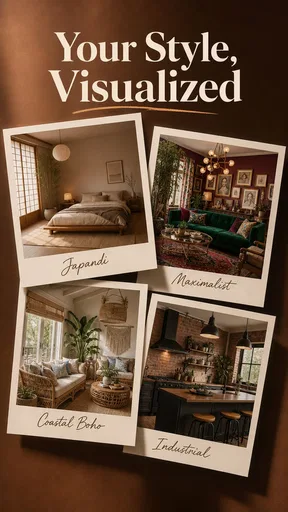

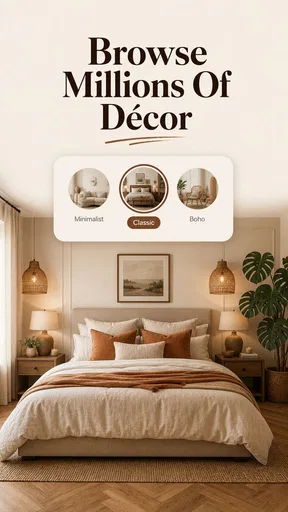
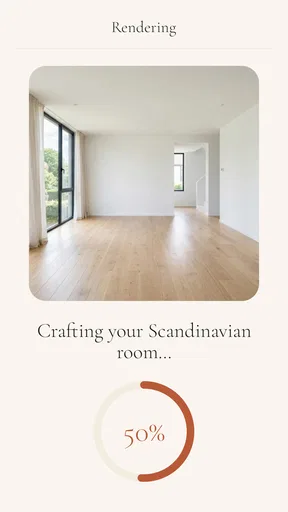
 Analysis by AppCompare
I would reach for Designest when a room needs a fresh direction but I’m not ready to commit to paint, furniture, or a renovation plan. It is a home-design app from Astronex, built around using AI to explore house layouts and interior ideas. That makes it most useful early in a project: when I have a vague goal, a few practical constraints, and no clear picture of what the finished space should look like.
In a shared home, the interesting question is not only whether an app can produce an appealing design, but whether it can help people discuss the same space. I find Designest promising as a source of visual starting points, with an important caveat: an AI concept is inspiration, not a measured plan or a substitute for checking whether an idea works in the real room.
A useful first test for a household
Before involving everyone in a major decision, I would try one deliberately ordinary task: reconsidering the spot where bags, shoes, or mail tend to collect. That kind of small problem makes it easier to judge whether a suggested direction feels relevant to the actual home, rather than being impressed by a polished-looking image alone. It also gives household members a low-stakes way to say what they want to keep or change.
I would take a quick note of the room’s fixed features and the things that cannot move before exploring ideas. Doorways, radiators, windows, and a frequently used route through the space can matter more than a preferred style. This simple preparation does not make an AI concept technically precise, but it gives me a better basis for spotting when an attractive suggestion conflicts with how the room is used.
Turning a shared room into a useful starting point
Imagine two people looking at the same tired living room. One wants a calmer place to read; the other needs space for guests and everyday storage. A design app can make that conversation easier by giving both people something concrete to react to. Instead of arguing over abstract words such as “modern” or “cosy,” they can compare possible directions and identify what they actually like.
That is the kind of household use I see for Designest: AI Home Design. Its appeal is not that it can settle disagreements or know a household’s priorities. It can help turn an open-ended question into a visual discussion. I would use it to explore broad options first, then talk through which elements are desirable, affordable, and realistic before treating any image as a plan.
For a renter, that might mean considering a different furniture arrangement or a softer colour palette without assuming that structural changes are allowed. For someone planning a renovation, it could help clarify the look they want before speaking with a contractor. In both cases, the useful outcome is a more specific brief: what should stay, what feels wrong, and what kind of change is worth investigating.
Worth Reading Before You Choose

EA SPORTS FC Mobile 26 Is a Bigger Football Game, but It Takes Time

Flipboard Shows What News Apps Must Do Beyond the Feed

Switching to Android Auto Means Rethinking Your Driving Routine

Google Calendar Makes a Crowded Week Easier to Manage

Ludo King Makes the Most of the Minutes Between Plans

Baby Panda World Brings Quick Play to Modern Phones, but Its Game Library Feels Busy
The distinction matters because AI-generated design can look convincing while overlooking ordinary constraints. A striking layout may not account for door swings, walkway clearance, existing plumbing, uneven walls, or the dimensions of furniture already in the home. I would treat the visual result as a conversation starter and verify measurements and construction details independently.
Set expectations before exploring ideas
Designest is listed as free to download, with in-app purchases priced from $4.99 to $14.99 per item. That is worth discussing before a household member starts exploring, especially if a phone or tablet is shared. I would check which parts of the experience are available without payment and make sure anyone using the device understands that some purchases may cost extra. The app’s free entry point is convenient, but it should not be confused with every possible feature being free.
The current version is 1.2.0, and the app requires Android 8.0 or later. Those details help with basic device planning, but they do not tell me how it behaves on a particular phone or how its design tools fit a specific project. Before making it part of a household workflow, I would try a small, low-stakes task rather than building a major renovation decision around it.
Account boundaries deserve similar thought. If several people take turns on one device, they should agree on whose account is being used and who is responsible for any purchase. I would avoid assuming that the app provides separate household profiles, shared project folders, or parental controls; those are not features I would rely on without seeing them directly. Keeping expectations simple prevents confusion about who created or paid for something.
A practical way to test the app is to start with one room and one question. For example: “Could this corner work better as a reading area?” That is easier to judge than asking AI to redesign an entire home around preferences that have not yet been discussed. It also makes it easier to compare an idea with the real room instead of getting distracted by an attractive but impractical overall makeover.
Coordinate decisions without mistaking concepts for plans
When people are planning together, I would use a three-step routine. First, agree on the problem: lack of storage, a cramped route through the room, or a style that no longer suits the household. Second, explore design directions separately or together, depending on how the household prefers to make decisions. Third, compare the ideas against fixed realities such as room measurements, existing furniture, mobility needs, and budget.
This approach makes the app more useful than casual browsing. A picture can reveal that two people agree on a warm colour palette but disagree about how much furniture the room needs. Or it can show that a proposed open layout looks attractive yet removes a useful place for everyday items. Those are meaningful discoveries even if nobody copies the generated design exactly.
One non-obvious benefit of reviewing concepts together is that it can expose hidden trade-offs early. A room that looks more spacious may offer less storage; a clean, uncluttered image may depend on removing objects the household actually uses. I would ask not only “Do we like this?” but also “What would we have to give up to make it work?” That question keeps inspiration connected to daily life.
There is also a useful reason to keep a simple record outside the app: note what the household likes and rejects, such as “more light,” “keep the existing table,” or “no major wall changes.” I would not assume Designest has a particular sharing or export workflow. A written shortlist makes the discussion portable and gives a decorator or contractor clearer guidance later.
Compared with general image searches, an AI home-design tool is appealing when I want ideas shaped around a particular home-design task rather than a stream of unrelated interiors. Compared with a dedicated floor-planning or professional design tool, it is better approached as an exploratory aid than a precise technical workspace. If exact dimensions, construction drawings, or dependable material specifications are the priority, I would use a specialist tool or consult a professional instead.
Age, trust, and sensible household use
The app carries an Everyone content rating, which makes its general subject matter suitable for a broad audience. That rating is not the same as a guarantee that every household member will find every suggestion appropriate, useful, or easy to interpret. Younger users may enjoy experimenting with room ideas, but an adult should still guide decisions involving purchases, renovations, safety, or changes to a shared space.
I would also keep the distinction between an appealing picture and trustworthy advice clear. A design image does not establish that a material is suitable for a particular room, that a layout meets accessibility needs, or that a renovation can be carried out safely. Those questions need real measurements and, when appropriate, qualified help. The app can support imagination; it should not be treated as an authority on building work.
For shared-device use, a brief household agreement can prevent avoidable friction: who may use the app, whether purchases need permission, and how people will discuss ideas before acting on them. This is especially helpful when a room belongs to everyone. It sets boundaries without assuming the app offers household management tools.
Who will enjoy it, and who may prefer another tool
I can see Designest being a good fit for people who are stuck at the “I know this room could work better, but I don’t know how” stage. It may also suit housemates or couples who find it easier to compare visual directions than describe them. The strongest use case is early brainstorming, when a few possible styles or layouts can help narrow a conversation.
I would be more cautious if I needed precise architectural planning, detailed renovation specifications, or a dependable way to coordinate multiple contributors inside one account. In those situations, a measured floor-plan tool, a shared project-management approach, or professional advice may be a better match. Likewise, someone who already knows exactly what furniture or materials they need may get more practical value from retailer catalogues or a conventional planning tool than from AI-generated concepts.
Designest has an average rating of 3.7 from around 1.6K ratings, with 40 written reviews, and has passed 100K installs. Those figures suggest it has attracted a meaningful audience, though they do not tell me whether its ideas will suit a particular room or device. I would use my own small test project to judge that, rather than treating popularity as proof of design accuracy.
My household verdict
My overall view is that Designest: AI Home Design is worth considering as a low-commitment way to get a household talking about rooms and possible changes. Astronex has positioned it for home-design exploration, and its free download makes a first try straightforward, provided everyone is clear about the in-app purchase range and who can approve spending.
I would recommend it to a friend who wants fresh visual prompts before rearranging a room or discussing a renovation. I would not recommend relying on it as the final authority for measurements, building decisions, or shared-account coordination. Its best role is narrower and more useful: help people describe what they want, notice trade-offs, and arrive at a better-informed next step. For a household willing to check ideas against reality, that can make the early planning stage less vague and more collaborative.
A practical way to judge the result
When an idea looks promising, I would separate the parts that are easy to test from the ones that need outside advice. A movable chair or a different use for a corner can be explored by rearranging what is already at home. A change involving wiring, plumbing, load-bearing walls, or a costly purchase needs a different level of checking. Treating those as separate decisions helps prevent a convincing visual from making a complicated project feel simpler than it is.
I would also compare suggestions against the household’s routine at different times of day. A layout that seems open when the room is empty may feel awkward when people are passing through, working, or relaxing at once. If the concept gives the household a better question to investigate—even if it does not provide the answer—that is a worthwhile outcome. If the main need is an exact, buildable plan, I would move on to a measured planning tool or a professional rather than trying to force this app into that role.
Pros
- Quickly generates room concepts from photos or prompts.
- Offers multiple styles for exploring different design directions.
- Useful for visualizing ideas before making home changes.
- Simple interface makes it approachable for design beginners.
- Can provide inspiration without hiring a designer.
Cons
- AI results may alter room layouts or existing features.
- Generated images may not reflect real materials or dimensions.
- Some styles or tools may require a paid plan.
- Results can vary in quality depending on the source photo.
- Requires uploading room photos
- which may raise privacy concerns.
FAQs for Designest: AI Home Design
What is Designest: AI Home Design, and what can I use it for?
Designest: AI Home Design is intended to help users explore home and room-design ideas with the assistance of AI. Depending on the tools available in the current version, you may be able to provide a room image or design details and receive suggested styles or visual concepts. It can be useful for inspiration and early planning, but treat generated results as ideas rather than construction-ready plans.
How do I create a design with Designest: AI Home Design?
The usual workflow for an AI home-design app is to choose or upload a photo of a space, select relevant options such as a room type or preferred style, and then ask the app to generate a concept. Available controls and steps can vary by version, so check the in-app guidance before starting. A clear, well-lit photo and specific preferences may help produce more useful suggestions.
Is Designest: AI Home Design free to download and use?
The app may be available to download without an upfront charge, but that does not necessarily mean every feature is free. AI generations, premium styles, exports, or other tools may require a subscription, in-app purchase, or limited-use credits. Review the current listing and the purchase details shown in the app before subscribing, and check renewal terms and any trial conditions carefully.
Does Designest: AI Home Design require an internet connection, and what happens to my photos?
AI design generation commonly relies on online services, so an internet connection may be needed to create or retrieve results; some viewing or editing options could work differently. If you upload interior photos, review the app’s privacy policy and the permissions it requests to understand how images and related data may be handled. Avoid uploading sensitive photos until you are comfortable with those terms.
Can I use Designest: AI Home Design results for remodeling or construction decisions?
Use generated designs as visual inspiration, not as a substitute for professional advice or precise architectural plans. An image may not account for measurements, structural conditions, building codes, electrical or plumbing requirements, or the availability and cost of materials. Before remodeling or purchasing items, verify dimensions and feasibility, and consult a qualified contractor, designer, or architect when the project requires expert assessment.


